Digital wallets and financial apps: map the data before trusting the interface
Map account, device, payment, data-sharing, retention, security, and dispute permissions before using a digital wallet or financial app.
In this guide
A financial app can make paying, saving, budgeting, or investing feel like a few taps. The interface is only one layer of the relationship. The app may also read account data, request phone permissions, send payments, expose social activity, share information with service providers, and retain records after you stop using it.
The short answer is to map five separate layers before you trust a wallet or financial app: account data, device permissions, payment authority, visibility and sharing, and recovery or dispute controls. “Private” does not mean anonymous, and “secure” does not mean losses or fraud are impossible. The exact answer depends on the product, account, operating system, contract, technical connection, and jurisdiction.
This is a general privacy and risk checklist, not a recommendation to use or avoid a particular app.
For connected bank or brokerage accounts, start with our financial-data permissions guide. For impersonation and AI-themed scam claims, see the AI investing claims checklist.
The short answer: map five permission layers
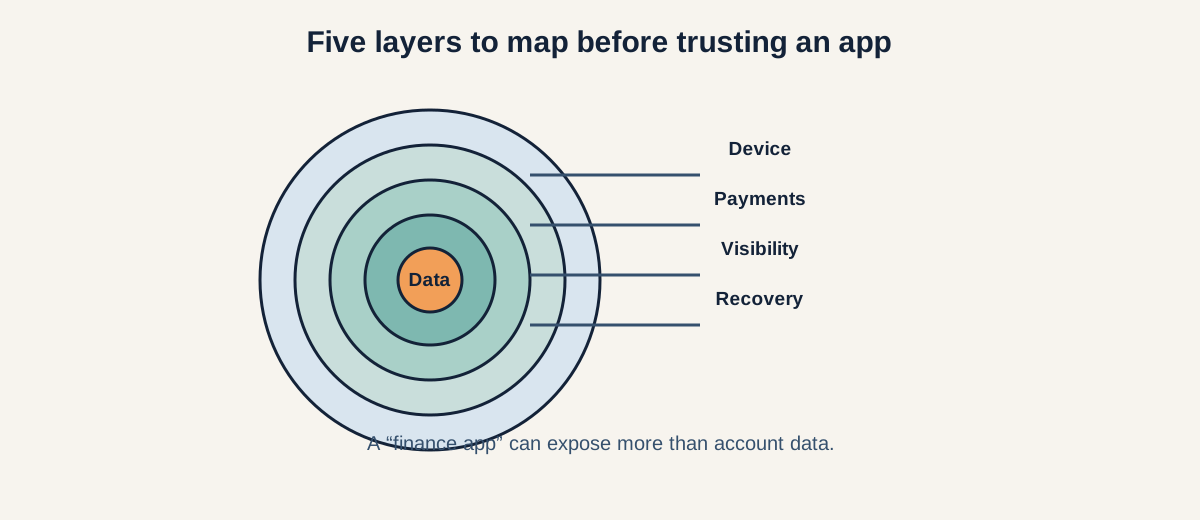
Figure: Account data, device access, payments, visibility, and recovery form one permission map.
Before signing up or linking an account, write down:
- Account data: What balances, transactions, contacts, identity details, or holdings can the service read?
- Device permissions: Can it access contacts, camera, microphone, location, photos, notifications, or storage?
- Payment authority: Can it send, request, schedule, reverse, or approve money movement?
- Visibility and sharing: Who can see your name, username, payment note, recipient, or activity, and which companies receive the data?
- Recovery and disputes: How do you revoke access, secure the account, report an error, challenge an unauthorized transaction, or close it?
The Consumer Financial Protection Bureau (CFPB) notes that financial-data sharing may involve ongoing access and a separate aggregator. The Federal Trade Commission (FTC) similarly advises checking what a peer-to-peer payment app can access and enabling security measures that may not be on by default. These are prompts to inspect the actual product—not proof that every app behaves the same way.
1. Account data: what can the app read?
Start with the financial accounts, not the app-store description. A wallet or dashboard may request access to a bank account, card, brokerage account, payroll record, or another payment service.
Ask:
- Does the service see balances, full transaction descriptions, categories, account numbers, holdings, income, or identity details?
- Is the access one-time or refreshed continuously?
- Which accounts are necessary, and can you choose fewer accounts or a narrower history?
- Is a data aggregator or other intermediary involved?
- Can the service use the information for analytics, advertising, eligibility, or model improvement?
A budgeting feature may need transaction history but not investment holdings. An identity check may need account ownership but not every merchant description. There is no universal answer; the provider’s current permission screen and privacy notice matter.
The CFPB recommends checking what data is shared, who receives it, how often it is accessed, how long it is stored, whether money can be moved, and how to stop access. A connection that looks “read only” still deserves those questions.
2. Device permissions: what can the phone expose?
Financial apps operate inside a phone that contains much more than your account balance. The FTC warns that some apps request access to features they may not need, such as contacts, camera, storage, location, and microphone.
For every permission, ask what feature requires it:
- Contacts: Does the app need your address book to find payment recipients, and can it upload or retain those contacts?
- Camera and photos: Is the camera needed for identity verification, a check deposit, or a QR code? Can photo-library access be limited to selected images?
- Microphone: Is voice support optional, and is audio stored?
- Location: Is location necessary for fraud detection or a nearby service, and can precise location be disabled?
- Notifications: Could previews reveal balances, recipients, or payment notes on a locked screen?
- Storage and files: Does the app need documents, and how long are uploads retained?
Grant the narrowest operating-system permission that supports the feature. If a permission is optional, declining it may preserve the core function. Revisit permissions after an app update; a new feature can change what the app requests.
3. Payment authority: what can the app do?
Reading a balance and moving money are different powers. A payment app may initiate a transfer, request money, add a payee, store a card, schedule a bill, or allow another user to send you funds.
Ask:
- Can the app initiate, schedule, approve, cancel, or reverse a payment?
- Can another person request money from you, and what does approval look like?
- Are there transfer limits, waiting periods, or fraud holds?
- Is multi-factor authentication or a transaction PIN available?
- Can you receive a real-time alert for every payment or account change?
- Which party handles an unauthorized transaction: the app, bank, card issuer, or another provider?
The FTC advises users of peer-to-peer systems to check account settings for additional security measures, consider multi-factor authentication or a PIN, and understand the service’s terms. It also warns that some apps may share transaction information on social media by default. Never infer payment limits or dispute rights from the app’s friendly design.
4. Public activity and social features
Some wallets make payments social: usernames, profile photos, contacts, notes, recipient lists, or transaction activity may be visible to others. A private bank transfer and a social payment feed are different privacy experiences.
Check:
- Is your profile searchable by phone number, email, or username?
- Who can see the sender, recipient, amount, note, or timestamp?
- Can a payment note reveal health, housing, employment, or relationship information?
- Are contacts invited or notified automatically?
- Can you hide past activity, block users, or change a default audience?
Use neutral payment descriptions. Do not assume that deleting a note, removing a contact, or uninstalling the app erases copies in notifications, recipient histories, screenshots, backups, or provider logs.
5. Sharing, retention, and deletion
“We do not sell your data” is not a complete data map. Read whether the app shares information with affiliates, analytics providers, fraud vendors, cloud hosts, payment processors, lenders, advertisers, or other service providers. Ask how derived profiles and logs are treated.
Separate three questions:
- Sharing: Who receives the data and for what purpose?
- Retention: How long are account records, device identifiers, prompts, support messages, and backups kept?
- Deletion: What can you request to delete, when does deletion occur, and what must remain for legal, fraud, tax, or accounting reasons?
The CFPB says deleting an app does not necessarily stop data sharing, and changing a bank password may not remove a third party’s access. Cancel the authorization in the app and, where available, in your financial institution’s connected-app controls. Ask for written confirmation of closure, revocation, and deletion requests.
6. Security and recovery controls
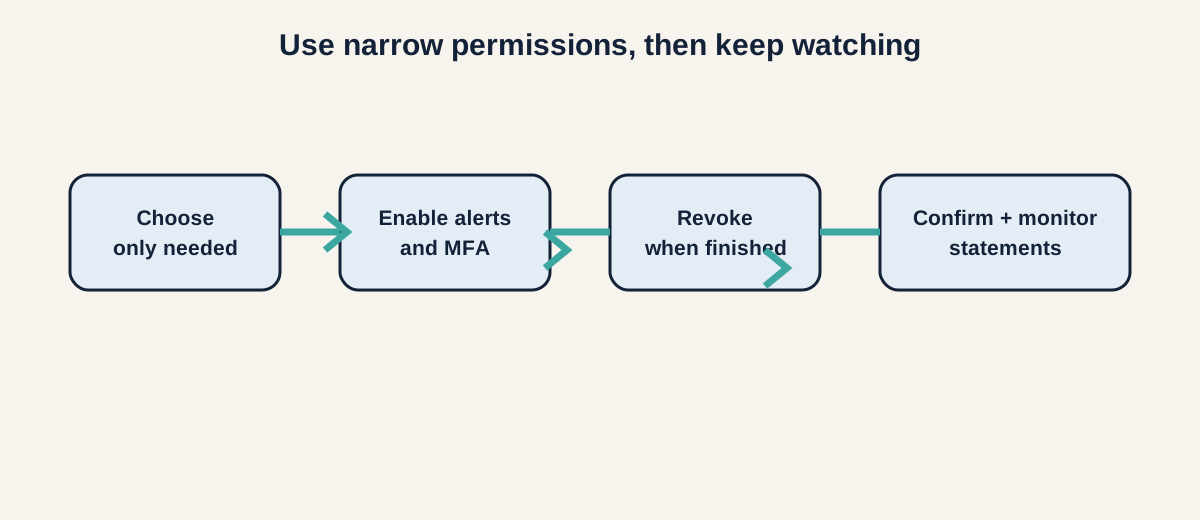
Figure: Choose narrow access, enable alerts and MFA, revoke when needed, then confirm and monitor.
Security is a process you can inspect, not a color or a badge. Look for:
- unique password support or passkeys;
- multi-factor authentication;
- device lock and biometric controls;
- alerts for sign-in, new devices, payments, and profile changes;
- a way to freeze or lock the account;
- clear support channels that you can find independently; and
- instructions for a lost phone, compromised email, or suspected takeover.
In the United States, the SEC’s 2024 Regulation S-P amendments require covered institutions such as broker-dealers, investment companies, and SEC-registered investment advisers to maintain written incident-response procedures for unauthorized access or use of customer information, with procedures for notifying affected people in relevant incidents. That rule does not cover every app, prevent every breach, or tell you how a named provider stores your data.
Use a separate, strong password for each financial account. Keep your phone and operating system updated. If you receive a breach notice, use the company’s official site or app—not a link in an unexpected message—to change credentials and review connected devices.
7. Disputes, errors, and unauthorized transactions
Before using an app, find the route for a wrong balance, duplicate charge, missing transfer, unauthorized payment, locked account, or impersonation attempt. Save statements, confirmation numbers, and support messages.
Ask:
- What is the reporting deadline for an unauthorized transaction?
- Does the clock start when you notice the transaction or when it posts?
- Who investigates and who can reverse the payment?
- Are peer-to-peer payments treated differently from card transactions?
- Can you download a complete transaction history before closing the account?
If you see activity you do not recognize, contact the relevant financial institution promptly and follow its official fraud process. Do not rely on a chatbot alone for a time-sensitive dispute. A privacy policy cannot substitute for a clear recovery plan.
8. A transparent wallet example
Imagine a payment wallet asks for contacts, precise location, camera access, and a linked checking account. It also shows a public activity feed and offers instant transfers.
Before enabling everything, map the assumptions:
- Contacts may help find recipients, but do they leave the phone?
- Camera access may support identity checks, but can selected photos be used instead of the whole library?
- Location may help fraud controls, but is precise location required?
- The checking link may show transactions, but can it also initiate transfers?
- A public note may reveal personal information to the recipient or wider audience.
- Instant transfers may have different error and dispute rules from card payments.
This example does not prove the wallet is unsafe. It shows why “allow all” is not a meaningful privacy decision. You can enable one feature, inspect its controls, and decide what remains necessary.
A ten-minute privacy worksheet
For each app, record:
- Purpose: the one feature you need.
- Accounts: bank, card, brokerage, payroll, or wallet connections.
- Data fields: balances, transactions, identity, contacts, location, files, or device IDs.
- Device permissions: which are required, optional, or denied.
- Payment authority: read, request, send, schedule, approve, or reverse.
- Visibility: who can search you or see payment details?
- Intermediaries: aggregator, processor, analytics, or other vendors.
- Retention: what stays after disconnection or account closure?
- Controls: MFA, alerts, freeze, revocation, export, deletion, and support.
- Disputes: reporting deadline, responsible institution, and evidence to keep.
If a material answer is unclear, label it not verified. You can narrow permissions, use a different feature, or delay the connection while you read the current terms.
Sources
- CFPB — What to consider when sharing your financial data
- FTC — Tips for using peer-to-peer payment systems and apps
- FTC — Heads Up: Stop. Think. Connect.
- SEC — Regulation S-P: Privacy of Consumer Financial Information and Safeguarding Customer Information
- SEC — Regulation S-P amendments press release 2024-58