Before linking a financial account: understand permissions and data access
Before connecting a bank or investment account to an app, check permission scope, aggregators, retention, transaction authority, revocation, and breach response.
In this guide
Linking a bank, card, brokerage, or payroll account to an app can save time. It can also create an ongoing data relationship that is easy to forget. Before you press Connect, identify what the app can read, who receives it, how often access continues, whether anyone can move money, and how to turn the connection off.
The short answer: financial-data sharing permissions are the scope and duration of access you authorize for a service and, sometimes, a separate data aggregator. Review the permission screen, privacy notice, terms, and account controls together. A connection that appears to be “read only” may still involve ongoing refreshes, multiple data fields, retention after disconnection, or a separate permission for payments. The exact result depends on the provider, account, technical connection, contract, and jurisdiction.
This is a general checklist, not a recommendation to connect or avoid any particular service.
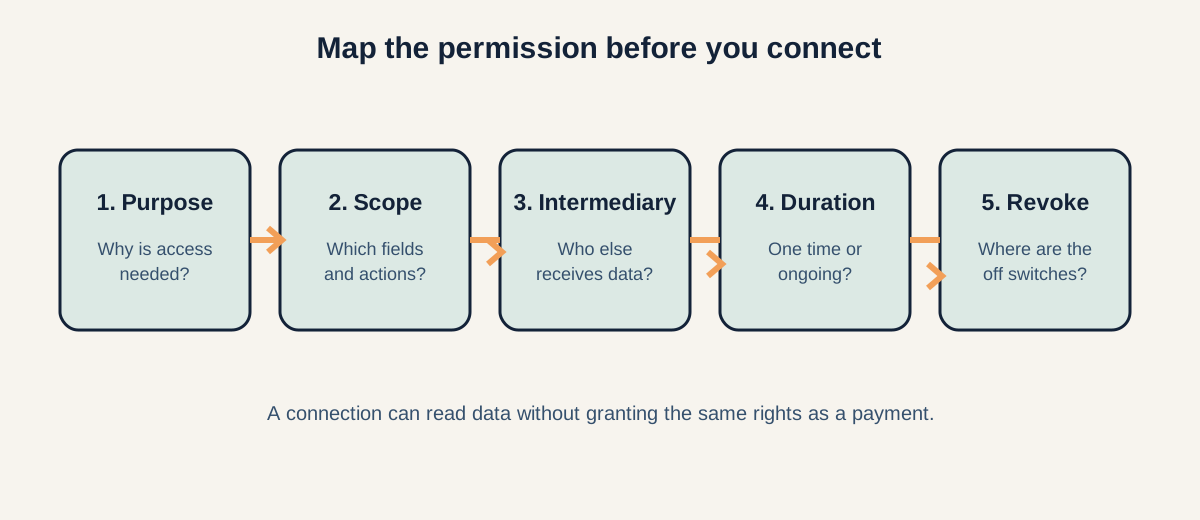
Figure: Map purpose, scope, intermediary, duration, and revocation before you authorize a connection.
For related reading, see our guide to how robo-advisors work and ETF vs. mutual fund; those explain adjacent product and cost questions without assuming a particular app.
A connection is a chain, not a single button
When an app asks to connect an account, several parties may be involved:
- The service you want to use. It may budget, analyze investments, verify identity, assess a loan application, or help you make a payment.
- Your financial institution. This is where the records or account relationship sits.
- A data aggregator or connectivity provider. It may retrieve, standardize, and transport information between the other parties.
- Other vendors. Analytics, fraud prevention, cloud hosting, customer support, and payment providers may receive some information under the service’s disclosures.
The Consumer Financial Protection Bureau (CFPB) explains that data sharing can involve at least two companies and that many services access shared data on an ongoing basis. That does not prove that every app uses the same architecture. It means you should map the actual chain for the product in front of you.
First, name the job the connection performs
Start with the purpose rather than the brand. “Connect your account” is not a purpose. The purpose might be to import transactions, show a net-worth dashboard, verify identity, evaluate a credit application, recommend a product, or initiate a transfer.
Ask:
- What will the service do with the data it receives?
- Does it need balances, transaction history, account numbers, holdings, income, or identity details for that job?
- Is every requested account necessary, or can you choose one account or a narrower date range?
- Will the service make a decision about you, or only display information back to you?
If the explanation is vague, pause before authorizing. A useful permission request connects each category of data to a visible function. Marketing language such as “personalized insights” does not tell you which fields are collected or whether they are shared onward.
Read the permission scope literally
Permission screens are often short. That makes each word important. Look for the exact accounts, data categories, and action rights.
Data that may be included
Depending on the connection, an app may request:
- account owner and identity details;
- account type, balance, and routing or account identifiers;
- transaction descriptions, dates, amounts, and merchant information;
- credit-card, loan, or payment history;
- brokerage positions, transactions, and cash balances; or
- income and employment information.
Do not assume that a dashboard needs every field. A budgeting tool may need transaction history but not brokerage holdings. An identity check may need a name and account status but not a year of merchant descriptions. This is a question for the provider’s actual disclosure, not a universal rule.
Read access versus action access
“Read” access generally means retrieving information. It does not automatically mean the service can move money. However, some products combine data access with payment, transfer, bill-pay, deposit, or account-change capabilities. The CFPB specifically advises consumers to check whether a service can make payments or move money and whether they accept those terms.
Treat transaction authority as a separate red flag to investigate. Ask:
- Can the service initiate, schedule, approve, or cancel a payment?
- Can it add a payee, change account details, or transfer funds between accounts?
- Is a second authentication step required?
- Can you set limits, alerts, or a separate payment permission?
Never infer “no money movement” from a friendly connection screen. Verify the provider’s terms and your institution’s controls.
One-time access and ongoing refreshes are different
Some connections are used once—for example, to verify identity or retrieve information during an application. Others refresh data repeatedly so an app can update a spending chart or portfolio view.
Find out:
- how often the service requests data;
- whether access continues while you keep the account connected or for a stated period;
- what happens if you stop opening the app;
- whether the connection expires automatically; and
- whether a new permission is required when the service expands its use.
Ongoing access is not automatically improper. It is simply a different risk and privacy decision from a one-time lookup. Record the date you authorized it and review your connected-app list periodically.
Understand the aggregator’s role
An aggregator may be the technical bridge between a service and your financial institution. It can help authenticate, retrieve, normalize, and transmit records. The aggregator may have its own privacy notice, security practices, retention rules, and list of service providers.
The key questions are:
- What is the aggregator’s legal name?
- Which company chooses the aggregator?
- What fields does the aggregator receive?
- Can it use the data for purposes beyond the app’s visible feature?
- Who is responsible for correcting an error or ending access?
The CFPB’s guidance says that services should disclose what data they use and how they use it, but also warns that disclosures may not answer every question clearly. If you cannot identify the intermediary or its purpose, treat that as an unresolved gap—not as proof of misconduct, but as a reason not to guess.
Check sharing, retention, and deletion separately
“We do not sell your data” is not a complete data map. Review the privacy notice for sharing with affiliates, service providers, analytics vendors, fraud tools, lenders, advertisers, or other third parties. The labels and legal rights vary by product and jurisdiction.
Ask three separate questions:
- Sharing: Who receives the data, and for what stated purpose?
- Retention: How long is it stored, including backups, logs, derived profiles, and records needed for legal or operational reasons?
- Deletion: What can you request to be deleted, when does deletion occur, and what must the provider retain?
Deletion of an app from your phone does not cancel data sharing. The CFPB advises cancelling the authorization and, where applicable, asking the service to delete collected data. It also notes that changing a bank password may not always remove a third party’s access.
If a provider offers an account dashboard, look for a connected-app list and a control to revoke access. Also check the financial institution’s own privacy or security page for a way to view and disable third-party connections.
Revoke access in the right place
There may be more than one switch:
- Turn off the connection in the app.
- Revoke the authorization in your bank, card, or brokerage account settings.
- Ask the service what data it retains and whether deletion is available.
- Remove payment permissions, linked payees, or transfer instructions separately.
- Save confirmation and monitor statements afterward.
An app’s “disconnect” button may stop the app from requesting new data without deleting information already collected. Conversely, deleting your app may leave an authorization active. Keep a simple record of the service, aggregator, accounts connected, date authorized, and date revoked.
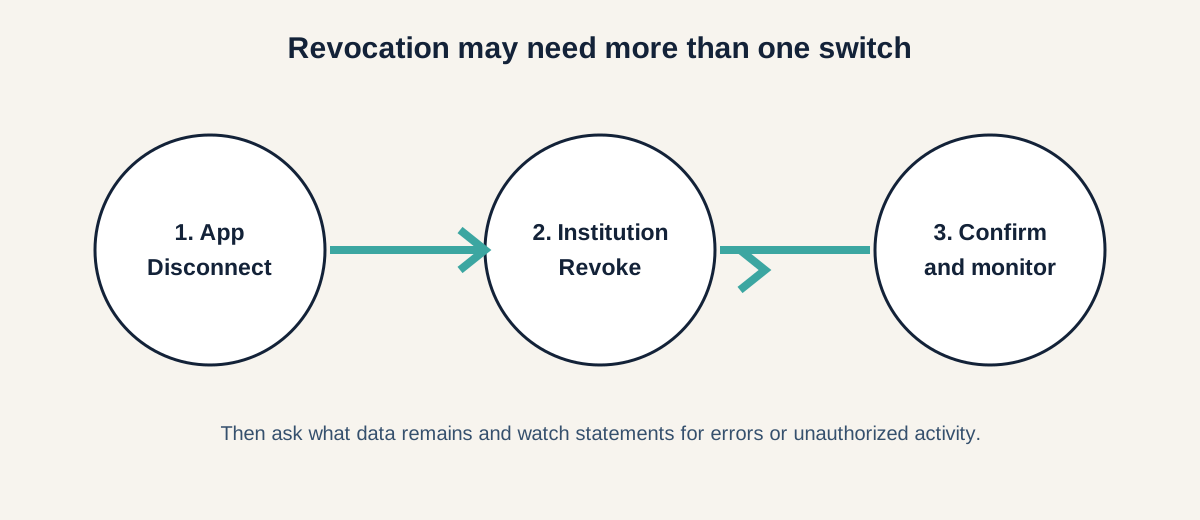
Figure: Disconnect in the app, revoke at the institution, then confirm and monitor.
Monitor for errors and unauthorized activity
Automation does not make imported data accurate. Compare the app’s display with your bank or brokerage statement. If a balance, transaction, or identity detail is wrong, the error may originate with the service, aggregator, or financial institution.
Review statements and alerts for transactions you do not recognize. Contact the financial institution promptly if you see unauthorized activity. If a connected company reports a breach, go directly to the company’s official website or app—not a link in an unexpected message—and follow the institution’s account-security instructions.
Use a separate, strong password for each financial account. Password changes can be useful, but they are not a substitute for revoking an active data authorization.
What U.S. privacy rules do—and do not—tell you
In the United States, the SEC’s 2024 amendments to Regulation S-P require covered institutions such as broker-dealers, investment companies, and SEC-registered investment advisers to maintain written incident-response procedures for unauthorized access or use of customer information. The amendments also include procedures for notifying affected individuals in relevant incidents. They do not make breaches impossible, establish that every app is covered, or answer what a particular provider will retain or share.
Your jurisdiction may have different privacy, consumer-protection, open-banking, or data-deletion rules. Use the provider’s current terms and the relevant regulator’s guidance. Avoid assuming that a U.S. rule, a bank’s security practice, or a data aggregator’s policy applies everywhere.
A worked example with explicit assumptions
Suppose a spending app asks to connect one checking account and one credit card. Its screen says it will “personalize your budget,” but does not say whether access is one-time or ongoing.
Before connecting, you would want to confirm:
- whether it needs both accounts;
- whether it receives full transaction descriptions or only categories and amounts;
- the aggregator’s name;
- refresh frequency and expiration;
- whether the app can initiate payments;
- third-party sharing and retention;
- how to revoke at both the app and institution; and
- what happens to imported history after closure.
Those questions do not tell you whether the app is good or bad. They turn an opaque “Connect” button into a decision with identifiable assumptions.
A five-minute permission checklist
Before authorizing, write down:
- Purpose: the feature you are trying to use.
- Accounts: exactly which accounts are connected.
- Fields: balances, transactions, holdings, identity, income, or other data.
- Actions: read only, or payments and transfers too?
- Intermediaries: service provider, aggregator, and material vendors.
- Frequency: one-time, scheduled refresh, or until revoked?
- Sharing: who receives the data and why?
- Retention: what remains after disconnection or closure?
- Revocation: where are the controls and confirmations?
- Response: whom to contact for errors, fraud, or a breach?
If the service cannot answer a material question, do not fill the gap with assumptions. You can look for a clearer provider, use a narrower connection, or postpone the feature while you verify the terms.