Hardware wallets compared: Ledger, Trezor and Tangem
Compare Ledger Nano X, Trezor Safe 5 and Tangem Wallet across signing, recovery, connectivity, security documentation and reader-fit trade-offs.
In this comparison



Source checked 8 September 2026 · Documentation comparison, not a device test
The short answer
Ledger Nano X, Trezor Safe 5 and Tangem Wallet all aim to keep signing keys away from an always-online phone or computer, but they organize the experience differently. Ledger emphasizes a two-chip device with Bluetooth and USB connections; Trezor Safe 5 combines a color touchscreen, haptic confirmation, open-source positioning and a Secure Element; Tangem uses an NFC card or ring with a secure chip and device-based backups. The meaningful choice is not a universal “best” wallet. It is which display, recovery model, connection method and operational responsibility you can use correctly.
This comparison uses first-party product and security documentation only. We did not buy or set up the devices, sign a transaction, test recovery, measure apps, inspect firmware or audit security. Product claims remain provider claims, and supported assets, mobile support, prices, availability and terms can change.
Scroll sideways or use arrow keys to read the full table.
| Provider and product | Documented interaction | Recovery / backup model | Documented fit signal | Main caution |
|---|---|---|---|---|
| Ledger Nano X | Monochrome OLED, two-button confirmation, Bluetooth BLE 5.2 and USB-C | Recovery sheets; Ledger says keys remain in the Secure Element | Readers who want mobile connectivity and a conventional device form | Wireless convenience adds another connection layer; always verify the device screen and official app |
| Trezor Safe 5 | 1.54-inch color touchscreen, haptic feedback, USB-C, Trezor Suite | 12-, 20- and 24-word backups; Advanced Multi-share Backup documented | Readers who value on-device visual confirmation and open-source positioning | Full signing/setup currently requires a computer or Android device via USB; iPhone support is limited to view-only tracking on the product page |
| Tangem Wallet | NFC card or ring, no battery or cable, phone app as interface | Two- or three-device backup sets; optional seed-phrase setup has separate risks | Readers who prefer tap-to-sign cards or a ring and device-based backup | Losing the whole device set can be decisive in the standard seedless model; phone/NFC compatibility matters |
The table is a map of documented differences, not a scorecard. A secure element, offline key storage or backup feature does not protect a user who approves the wrong transaction, buys a tampered device, exposes recovery material or loses every recovery path.
How to compare a hardware wallet
1. What is actually kept offline?
“Hardware wallet” does not mean the coins live inside the device. The blockchain records assets; the device protects signing credentials and displays transaction information. Ledger describes the Nano X Secure Element as holding seed and private keys while the wireless microcontroller acts as a transport layer. Tangem says its private key is generated and kept in the card or ring’s secure chip. Trezor describes a Secure Element in Safe 5 and on-device confirmation.
These are different architectures, not interchangeable proof of safety. Ask what the device displays, what the phone or desktop prepares, where a key is generated, which component signs, and what you must verify before pressing confirm.
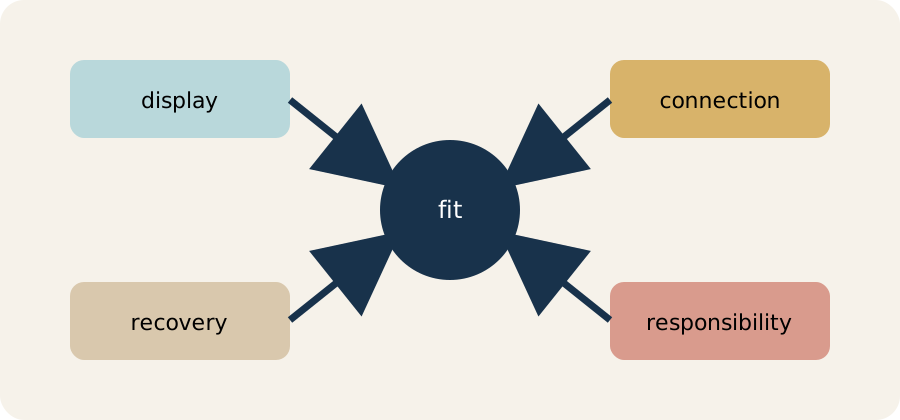
The useful comparison starts with the workflow you can perform reliably, not a single security badge.
2. How do you recover?
Recovery is often the most important product difference. Ledger’s package includes recovery sheets for the wallet backup. Trezor documents 12-, 20- and 24-word backups and a Multi-share Backup option. Tangem’s standard hardware-wallet story uses two or three physical devices as backups; Tangem also documents an optional seed-phrase setup with a different recovery path.
Each model moves risk. Written words can be copied, photographed, destroyed or entered into a phishing site. Multiple cards can simplify everyday backup but make the loss of the entire set important. Multi-share designs can reduce a single paper failure but require the owner to understand how shares are stored and restored. A backup is not useful if nobody can find it, or if an attacker can read it.
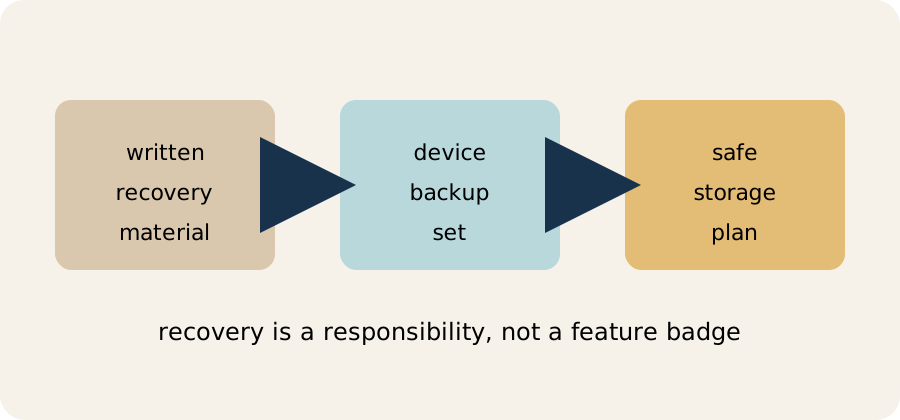
Every recovery model still depends on private storage, clear instructions and a plan for loss.
3. How will you verify transactions?
A larger display may make addresses and amounts easier to inspect. A touchscreen can reduce navigation friction but still requires careful reading. A small monochrome screen can be sufficient if you slow down and verify each field. NFC removes cables for Tangem but moves more of the interaction into a phone app. Bluetooth on Ledger can make mobile use convenient; Ledger’s security explanation says private keys and seed do not leave the Secure Element, while public transaction data travels through the link.
No connection method removes phishing, malicious contract approvals or a user approving a wrong address. The device screen is the final check, not a substitute for understanding the transaction.
Product cards: who may find each workflow useful?
Ledger Nano X
Ledger’s current product page lists Bluetooth BLE 5.2 for iOS and Android, USB-C for desktop and Android, a 128×64 monochrome OLED, the ST33J2M0 Secure Element and CC EAL5+ certification. Ledger also describes support for thousands of assets through its app and third-party wallets; the exact asset and network experience should be checked before use.
May suit: a reader who wants a familiar button-based device with mobile Bluetooth connectivity and a broad app ecosystem.
Trade-offs: a small screen means more deliberate address checking; wireless connectivity is another layer to understand; Ledger’s product and support pages govern current compatibility, firmware and recovery behavior.
Official link: Visit official product page
Trezor Safe 5
Trezor’s product page lists a 1.54-inch color display, haptic feedback, USB-C, PIN and passphrase protection, a Secure Element, open-source security and compatibility with Trezor Suite and third-party wallet apps. Trezor documents 12-, 20- and 24-word backups and Advanced Multi-share Backup. Its current product page also warns that full setup and signing require a computer or Android device via USB, while iPhone use is view-only tracking.
May suit: a reader who values a larger on-device confirmation experience and wants to study an openly documented software and backup model.
Trade-offs: the current iPhone limitation can be material; the additional backup choices require careful record-keeping; third-party wallet compatibility still needs a network-specific check.
Official link: Visit official product page
Tangem Wallet
Tangem’s current documentation describes a card or ring with an NFC antenna and secure element, without a battery, cable or screen. The app is the interface, while the hardware device performs signing after an NFC tap. Tangem says sets can include two or three devices for backup and separately documents an optional seed-phrase setup. Its help center says an NFC-capable mobile device is required.
May suit: a reader who prefers a compact tap-to-use form and device-based backups rather than a written seed phrase in the standard setup.
Trade-offs: there is no on-device screen for independently reading an address; a compatible phone and NFC are required; losing the whole backup set can be decisive; optional seed-phrase mode brings back the familiar phrase-storage risks.
Official link: Visit official product page
Two examples, not recommendations
Suppose Reader A mainly signs occasional transfers from an Android phone and wants a physical display. A screen-led workflow such as Ledger or Trezor may be easier to inspect, but Reader A still has to verify addresses on the device and protect the backup.
Suppose Reader B wants a pocket-sized card, uses an NFC phone and is comfortable storing two or three physical backups in separate places. Tangem’s documented card/ring model may align with that workflow, but Reader B must understand the loss scenario and the absence of a device screen.
These examples describe workflow fit, not suitability. The amount, assets, networks, jurisdiction, technical confidence and recovery plan matter more than a feature headline.
Risks common to all three
- A hardware wallet does not reverse a wrong or maliciously signed transaction.
- A recovery phrase or backup device can be stolen or destroyed.
- Counterfeit or tampered purchases can undermine setup; use the provider’s official shop or documented verification process.
- Third-party apps, browser extensions, bridges and contract approvals add risk outside the device.
- Asset and network support can change; a product page is not a promise that every token or chain is available in your country.
- Provider claims about security are not an independent audit of your personal setup.
Before using any device, create the wallet through the official workflow, confirm the backup is blank before setup, write or store recovery material offline as instructed, update only through official software, verify the receiving address, and test a small transfer only when the network and fee are understood.
Buying and setup are part of the comparison
The device is only one link in the chain of custody. Buy from the provider’s official shop or an explicitly documented authorized channel, inspect packaging and setup prompts, and stop if a device arrives with a prewritten backup or asks you to import a phrase supplied by someone else. During setup, generate the wallet on the device, record the backup privately, and confirm that the recovery process works before depositing a meaningful amount. A device can be well designed while a counterfeit package, compromised computer, careless backup or malicious transaction defeats the intended protection.
Also check the practical environment before buying: phone operating system, desktop access, NFC or Bluetooth needs, USB restrictions, supported networks, app availability in your country, replacement policy and the provider’s current terms. “Works with thousands of assets” is not the same as every asset working in the same app, on the same network, with the same signing flow. The same caution applies to security language. Certification, open-source code, a secure element and an offline key are useful design facts, but they describe components rather than your whole outcome. The user still decides whether to verify the destination, approve a contract, protect the backup and respond to a lost device. Compare the documented workflow, then decide whether you can follow it consistently.
For a broader security checklist, read crypto wallet security checklist. To understand the custody boundary, read exchange custody vs self-custody. These are educational resources, not personal financial advice.