Budgeting apps compared: YNAB, Monarch Money, and Copilot Money
Compare YNAB, Monarch Money, and Copilot Money on budgeting method, current subscription prices, account connections, privacy, and limits.
In this comparison



YNAB, Monarch Money, and Copilot Money all combine budgeting with account aggregation, but they ask you to manage money in different ways. YNAB is built around assigning available money to jobs. Monarch combines category budgeting with household dashboards, goals, investments, and collaboration. Copilot emphasizes an automated, visual view of spending, budgets, cash flow, investments, and net worth. None is the universal best choice.
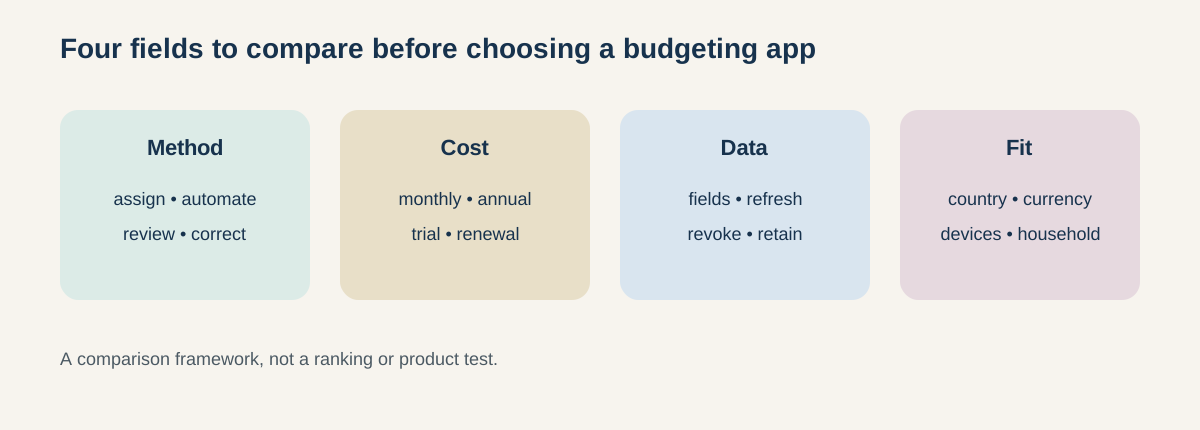
Figure: Compare the workflow and trade-offs before comparing the brand names.
Quick comparison
Scroll sideways or use arrow keys to read the full table.
| App | Published subscription terms | Core workflow to investigate | Important limit to verify |
|---|---|---|---|
| YNAB | $109/year or $14.99/month, plus tax where applicable; 34-day trial | Give every dollar a job, plan categories, and import or enter transactions | One spending plan cannot combine multiple currencies; linked-account coverage can vary |
| Monarch Money | Pricing page currently shows Core at $99.99/year and Plus at $199.99/year; 7-day trial | Household dashboard, category budgeting, goals, net worth, investments, and collaboration | Availability is currently U.S. and Canada; currency and institution support need confirmation |
| Copilot Money | $95/year or $13/month on its current pricing page; free trial | Automated categorization, spending line, rollovers, cash flow, investments, and net worth | Product is available on iPhone, iPad, Mac, and Web; check device and connection fit |
The amounts are subscription prices, not a measure of value. Taxes, app-store billing, promotions, plan changes, and regional availability can alter the checkout result.
YNAB: a deliberate allocation method
YNAB’s pricing page currently lists an annual plan of $109 or a monthly plan of $14.99, plus applicable tax, with a 34-day trial when signing up directly. Its product explanation centers on the YNAB Method: give every dollar a job, plan for true expenses, and use the budget to decide what available money should do next. You can import transactions or enter them manually, and a subscription can be shared with up to six people.
That method may suit a reader who wants an explicit planning routine and is willing to maintain categories. It can feel less automatic when the reader prefers a dashboard that classifies everything without much setup. YNAB’s own FAQ says a single spending plan cannot use multiple currencies together. Ask whether the reader’s bank, country, currency, and reconciliation habits fit the workflow.
Monarch Money: a broad household dashboard
Monarch’s official pages describe a household-oriented product with spending, budgets, goals, net worth, investments, and collaboration. Its site says a partner can be invited at no additional cost, and its help FAQ says the service is currently available in the United States and Canada, with USD or CAD account connections recommended. Monarch’s pricing page currently shows a Core annual price of $99.99 and a Plus annual price of $199.99; the help center says the service offers a seven-day trial and subscription billing.
The breadth can be useful when the reader wants one place for budget, net worth, investments, and household collaboration. The trade-off is scope: more connected data and more modules create more settings to review. Monarch says it is ad-free and does not sell financial data; that is a provider statement, so read the privacy notice and connected-account terms for the details that matter to you.
Copilot Money: automation and visual review
Copilot’s official site presents an app for iPhone, iPad, Mac, and Web. It describes automatic transaction categorization, a spending line, rollovers, cash-flow summaries, investments, allocation, and net-worth views. Its current pricing section shows $95 billed yearly or $13 monthly, with a free trial. The page also says there are no ads or hidden fees and that user data stays private; confirm the current privacy policy and account-connection disclosures before linking accounts.
Copilot may appeal to a reader who wants a visual daily review with automation and broad tracking. Automation can also miscategorize a transaction or obscure the reasoning behind a budget. Ask whether categories, rollovers, recurring items, investments, and manual accounts can be corrected in the way the reader expects. Device availability matters too: a web user and an Apple-device household may have a different experience from an Android-only household.
Pricing is a recurring decision
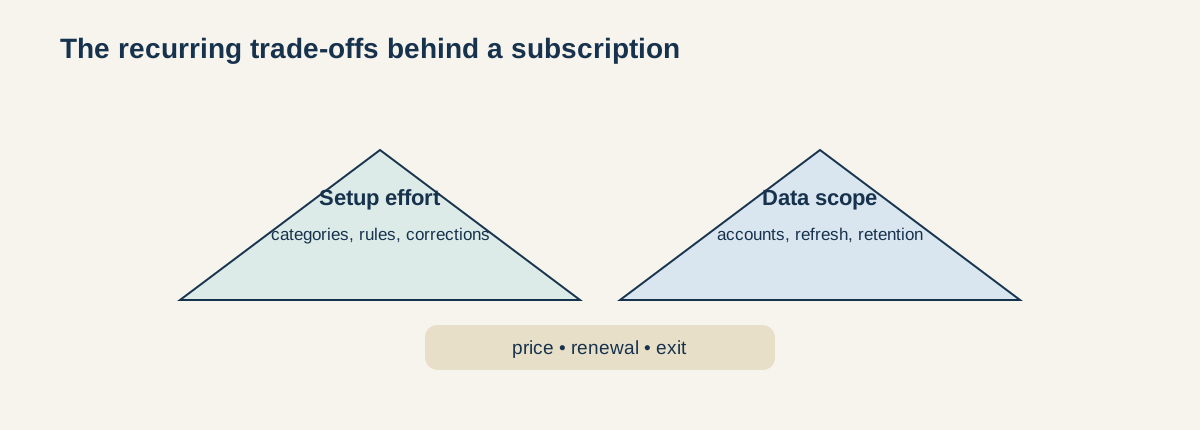
Figure: A budgeting-app decision includes recurring price, setup work, data scope, and review discipline.
At the published annual prices above, YNAB is $109, Monarch Core is $99.99, and Copilot is $95 before tax. The difference between them is small enough that workflow fit may matter more than a few dollars. Use the same question for each: what will I actually do each week, and what data must I connect for the feature to work?
Do not count a trial as free forever. Record the trial end, renewal price, billing channel, and cancellation path. If a promotion appears, save the terms and the renewal price rather than comparing the promotional number with another app’s standard price.
Account connections and privacy
Account aggregation can create ongoing access through a connectivity provider. Before connecting an account, identify which institutions, fields, refresh frequency, and action permissions are involved. Read-only display is not the same as payment or transfer authority. Check how to revoke access in both the app and the financial institution, and what happens to imported history after closure.
Compare the privacy policy, security page, data-retention language, and list of connected providers. A product can be ad-free while still processing extensive financial data. A product can automate categorization while still requiring manual correction. Those are design and privacy questions, not proof that one provider is safe or unsafe.
A reader-fit checklist
- Do you want a rule-based allocation method or an automated dashboard?
- Will one person budget, or do you need household collaboration?
- Do you need investment and net-worth tracking in the same product?
- Are your country, currency, institutions, and devices supported?
- Can you maintain categories and reconcile errors?
- What data must be connected, and how will you revoke it later?
- What is the post-trial annual and monthly price, including tax?
- Which features disappear if you stop paying?
Answer these questions before comparing screenshots or testimonials. The right comparison is the one that exposes the recurring work, data scope, and exit friction clearly enough for the reader to decide for themselves.